Last updated: October 13, 2026
Three tools. That is the practical starting point for content writing tools for agencies: one drafting app, one project tracker, and one review or approval tool.
In plain terms, the right content writing tools for agencies keep briefs, drafts, approvals, and deadlines moving through one controllable flow without forcing every client into the same process. They work best when handoffs shrink, version history stays intact, and the current draft is obvious at a glance.
Key Takeaways
- Choose a stack that cuts handoffs, not one with the longest feature list.
- Keep the workflow short, but strict enough that each client follows the same path.
- Limit feedback locations and define comment types before the draft goes out.
- Prefer a system that separates visibility from execution.
Manage 3 clients or 30, and the real issue is not “which writing app is best?” It is how to move work from intake to publishable copy without losing version history, confusing clients, or burying one account under another. So the stack has to do three jobs at once: support writing, support review, and support multi-project tracking.
What content writing tools for agencies actually need to do
The best stack reduces handoffs; the longest feature list usually just looks impressive in a demo. When your agency only needs a shared draft space and a comment thread, a heavyweight platform like Asana plus Notion may be overkill. Handle dozens of deliverables across channels, though, and a basic Google Docs setup turns into a scavenger hunt by week three.
The useful question is simple: does the tool help you answer “who owns this, which version is current, and what is blocking approval?” If yes, it belongs in the stack. Otherwise, it only helps people write faster, so it is incomplete for agency work.
Here is the decision table I would use first:
| Situation | Best Path | Why Other Options Fail |
|---|---|---|
| 1–2 writers, 1–3 clients, light review | Google Docs + a task tool like Trello or Asana | Dedicated content platforms can add friction and cost without fixing a real bottleneck |
| 3–10 writers, recurring SEO and editorial work | Notion or Coda for briefs, Docs for drafting, Asana/Monday for status | A single app rarely handles both deep drafting and operational tracking well |
| Heavy client approvals with legal or brand sign-off | A review tool with annotations, versioning, and approval status, plus controlled permissions | Email feedback fragments decisions and creates version drift |
| Multiple brands, regions, or service lines | Separate workspaces, clear naming conventions, and a central intake form | One giant board becomes unreadable once every client shares the same pipeline |
The core categories are predictable: drafting, project management, review or approval, and asset storage. Since AI writing assistants can speed up first drafts and summaries, I would treat them as support tools, not the system of record. OpenAI’s usage guidance and similar vendor documentation say the same thing: assistance, not approval. Fine for first drafts. Fine for summaries. Fine for rewrites. They are terrible at knowing which paragraph version was approved by the client on Tuesday at 4:12 p.m.
A good stack also needs a basic standard for files: one source draft, one feedback thread, one final export. If a tool encourages five places for comments, that is a red flag.
Quick check: cannot tell where the latest draft lives? Your stack is too loose.
What should be in the workflow from brief to publish?
The workflow should be short enough to follow and strict enough that nobody improvises a new process for each client. More than 6 handoffs from brief to publish, and the process is probably bloated. But one person doing everything inside one document makes the process too fragile.
My preferred agency flow is:
- Intake: capture goal, audience, offer, deadline, channel, word count, and approver in one form.
- Brief: turn that intake into a usable outline with keywords, angle, examples, and any compliance notes.
- Assignment: assign owner, editor, and due date in the project tool, not in email.
- Draft: write in Google Docs, Microsoft Word online, or another live-collab doc with version history.
- Editorial pass: fix structure, accuracy, tone, and SEO before client review.
- Client review: collect comments in one channel, resolve them, then lock the version.
- Final QA: check links, headings, metadata, and handoff details before publishing or delivery.
Different tools fit different stages, and that is the whole point. Notion is excellent for briefs and content databases. Google Docs is still the simplest place to draft and comment. Asana, Monday.com, ClickUp, or Trello do status tracking better than writing itself. Grammarly, Hemingway, or similar editors can polish prose, but they should not replace an editor.
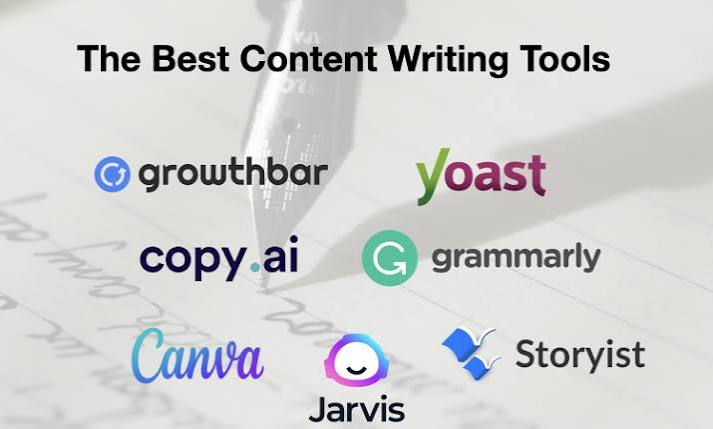
Once the draft is moving, AI tools like ChatGPT, Claude, Jasper, or Copy.ai can sit at the drafting edge of the workflow, not at approval. They can accelerate first drafts, outlines, and rewrites. They cannot decide whether a claim is acceptable for a regulated client or whether a headline matches the brief.
The trade-off is speed versus control. Add more automation, and the brief has to get more disciplined. Without a strict brief template, AI just makes the inconsistency arrive faster.
Quick check: writers keep asking the same five questions? Your brief is failing.
How do you handle client review without turning comments into chaos?
Limit where feedback can live; define what a comment means before the draft goes out. When clients are allowed to email comments, annotate PDFs, and paste notes into Slack, the revision stage will slow down immediately. But if the client is very senior and only wants one approval checkpoint, too much process will feel insulting and slow.
The safest practical pattern is one draft, one reviewer path, one final sign-off. In practice, that means comments happen in Google Docs, Dropbox Paper, or a dedicated review tool such as Filestage, Ziflow, or Hootsuite-style approval setups for social assets. The exact tool matters less than the rule: no feedback in side channels unless it is copied back into the master thread.
A workable review path looks like this:
- Send the draft with a short note that states what kind of feedback you want: factual, tone, SEO, or final approval.
- Set a deadline for comments, usually 24–72 hours depending on client responsiveness.
- Ask for all feedback in one place and ban redline-by-email unless the account is tiny.
- Tag comments by type: must-fix, preference, or question.
- Resolve each comment publicly in the same thread so the next reader can see the decision.
- Export or lock the approved version and store it with the project record.
This is where agencies often lose time. A client may ask for “just a few changes,” but when those changes arrive across three platforms, you spend more time reconciling versions than improving the copy. That is not a writing problem; it is a process problem.
I would also avoid using comments as a substitute for approvals. A document can be “commented on” forever. Approval needs a clear status, a date, and a named approver.
For a general standards-based view of document control and process discipline, ISO 9001 is a useful reference point even if you are not implementing the full standard. The ISO overview of ISO 9001:2015 and document control principles are a good starting point.
Quick check: “which comments are we following?” If that has ever come up, the review process is too open.
Which tools work best for managing many content projects at once?
The best multi-project system usually separates visibility from execution. When every task, note, asset, and approval sits in one giant board, the whole thing becomes unreadable the moment you cross 10 active projects. But if every client gets a different process, managers lose the ability to compare status across accounts.
That is why I would split the stack into three layers: a master portfolio view, a client-level workspace, and a drafting environment. The portfolio view can live in Asana, Monday.com, ClickUp, or Airtable. The client workspace can live in Notion or Coda, where briefs, evergreen ideas, and content calendars are easier to maintain. Drafting can stay in Google Docs or Microsoft 365.
The trade-off is obvious: all-in-one tools promise simplicity, but they usually make one part of the process weaker. Best-of-breed stacks take more setup, but they usually scale better when the agency grows past 5 or 6 active writers.
For multi-project management, I care about four controls more than flashy features:
- one naming convention for clients, campaigns, and assets
- one status vocabulary, such as Briefed, Drafting, In Review, Approved, Published
- one owner per task
- one due date per deliverable
Without those controls, the tool is just a prettier version of a spreadsheet.
Recurring work depends on consistency, so I would start with:
- Asana or Monday.com for operations
- Google Docs for drafting
- Notion for briefs and content libraries
- Grammarly or LanguageTool for copy checks
- Filestage or Ziflow for formal client approvals
That stack is not perfect. It can feel fragmented, and training matters. But it gives you clearer failure points than a single monolithic app that tries to do everything.
Quick check: four tabs just to answer “what is late?” Time to consolidate.
When the standard advice is wrong
The standard advice fails when it assumes every agency has the same client behavior, volume, and risk level. Juggle regulated industries, a tiny team, or one demanding enterprise client, and the default “just use one collaborative tool” advice falls apart quickly.
Here are the edge cases that change the answer:
-
Situation: legal, medical, or financial content
What changes: review needs a traceable approval trail and stricter version control.
Use instead: use a review system that records comments and sign-off, keep one locked final draft, and store source notes separately. Side-note approvals in chat are not enough. -
Situation: the client edits directly in the draft
What changes: the document becomes both a working file and a battleground.
Use instead: create a “review copy” and a “master copy.” Only the editor changes the master. Direct client edits should be limited to comments or tracked changes. -
Situation: you manage 20+ active pieces across multiple brands
What changes: search and filtering become more important than the writing tool itself.
Use instead: use a database-style tool such as Airtable, Coda, or Notion to track title, owner, status, channel, and due date. A pretty board without metadata is too thin. -
Situation: very small agency, 1–2 people, low review complexity
What changes: process overhead can slow production more than it helps.
Use instead: keep it simple with Google Docs plus a lightweight project board. A formal approval platform may be unnecessary at this scale. -
Situation: global clients across time zones
What changes: approvals depend on asynchronous clarity, not meetings.
Use instead: write tighter briefs, leave fewer open questions, and use due dates in the client’s time zone. Record decisions in the project tool, not in meeting notes nobody rereads. -
Situation: content must pass SEO, brand, and legal review
What changes: one reviewer’s “done” is not enough.
Use instead: create separate checkpoints with named owners and distinct statuses. Otherwise, the draft bounces between reviewers for days.
The common mistake in all of these cases is trying to force one workflow on every account. That usually creates either too much process or too little control.
Quick check: one client’s needs differ materially from the others? They probably need a separate workflow lane.
How I would choose a stack for different agency types
I would choose the stack based on the agency’s bottleneck, not on the nicest demo. If your problem is chaotic approvals, buy for review. If the problem is missed deadlines, buy for project control. When the problem is weak drafts, buy for writing support and editorial consistency.
For a content-first SEO agency, I would prioritize keyword briefs, editorial calendars, and draft collaboration. That means Notion or Airtable for planning, Google Docs for writing, and Asana for task management. Semrush or Ahrefs can help with topic research, but they do not solve workflow by themselves.
For a full-service agency with copy, design, and social, I would prioritize cross-functional visibility. That makes Monday.com, ClickUp, or Asana more useful, because the content team is only one piece of a bigger delivery chain.
For a boutique agency with a few high-touch clients, I would keep the stack small and human. Google Workspace, one project tool, and one review method is enough. Too many apps create more admin than output.
Specifically, if a tool does not save at least one repeated weekly pain point, it is probably decorative. Every new app adds login friction, training time, and another place for work to get lost.
I would also budget for process maintenance, even if the software itself is cheap. A stack that looks affordable at signup can become expensive if the team spends 30 minutes per project translating status between systems.
Quick check: switch tools without changing the workflow? Then the workflow is the real problem.
FAQ
What is the best tool for agency content writing?
Usually it is a combination, not a single app: Google Docs for drafting, a project manager like Asana or Monday.com for status, and a review tool or controlled comment thread for approvals.
Do AI writing tools replace editorial workflow tools?
No. AI tools can speed up outlines and first drafts, but they do not replace project tracking, version control, or client approval records.
Is Notion enough for an agency content workflow?
Sometimes. It is strong for briefs and content databases, but it is weaker than dedicated project tools for deadline management at higher volume.
Should clients edit drafts directly?
Usually no. Direct edits work only when the client is involved in a small, low-risk draft and both sides agree on tracked changes.
Drafted with AI; not yet reviewed by a person.